
01 — The ring
An alarm your reflexes can’t beat.
Pick the sound, ramp it from gentle to impossible over the interval you choose, and keep a louder backup layer in reserve for the mornings an ordinary alarm just becomes part of the dream.

 ProAlarm
Made for people who sleep through alarms
ProAlarm won’t switch off until you’ve done something that proves you’re awake — then it checks on you again a few minutes later.


How it works
ProAlarm is an ad-free alarm clock for iPhone and iPad that will not stop until you complete a wake-up mission. Most alarms get one shot at waking you, and they take it while you are least able to respond. This one keeps working after the first ring.
01 — The ring
Pick the sound, ramp it from gentle to impossible over the interval you choose, and keep a louder backup layer in reserve for the mornings an ordinary alarm just becomes part of the dream.
02 — The mission
Swiping is a reflex. Solving is not. ProAlarm holds the alarm until you have done something deliberate — rebuild a pattern, type a sentence, walk it off, or scan a code you left across the room.

03 — The Wake Check
The alarm ending is not the same as you being up. Minutes after dismissal, ProAlarm asks you to confirm you are still awake — and starts again if nobody answers.

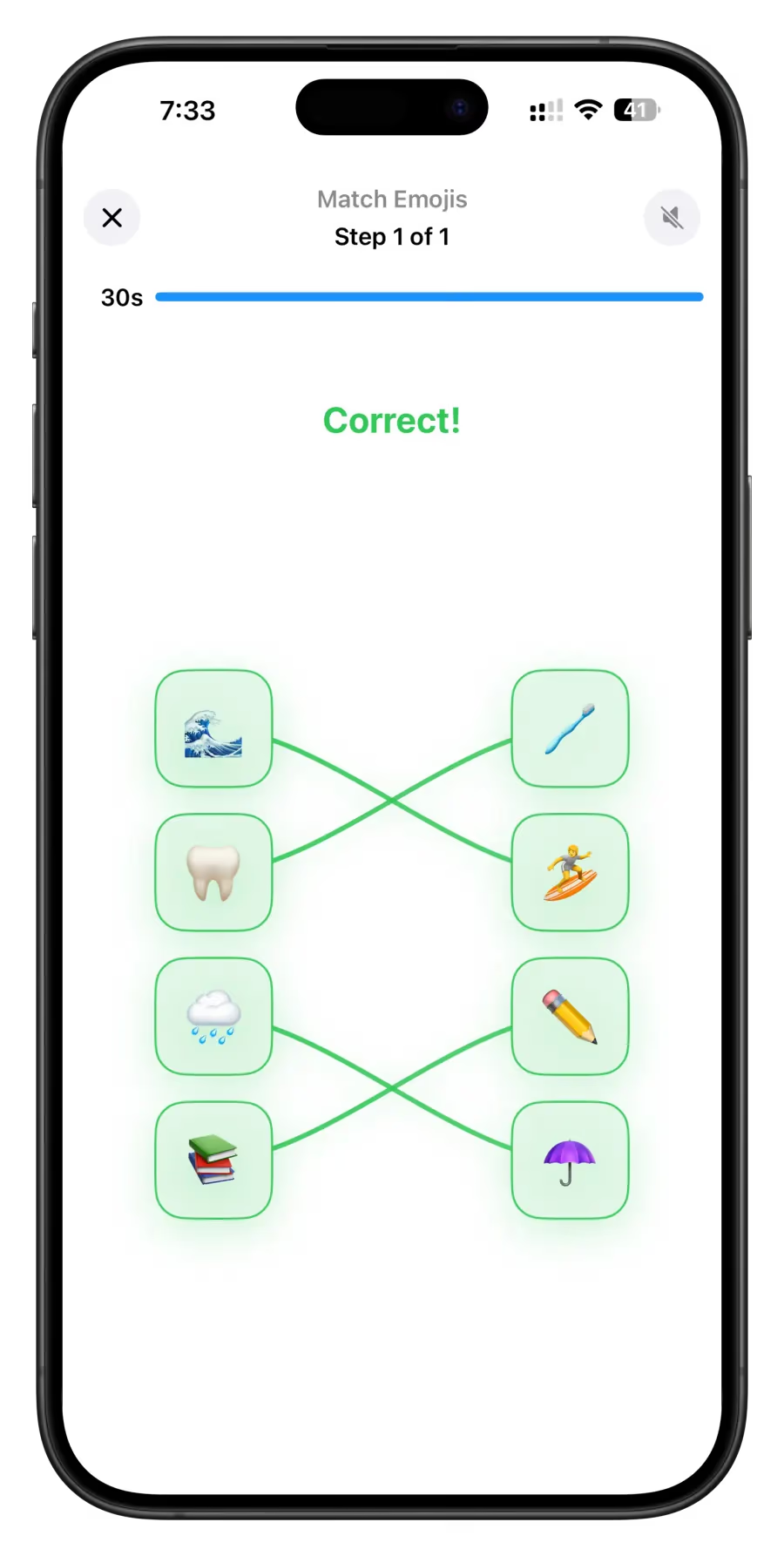
Eleven missions · six shown here
Some mornings need your brain. Some need you on your feet. Choose the mission, set the difficulty and the time limit, then stack as many as it takes with ProAlarm Max.
Visual memory
A grid of tiles lights up for a moment. Recreate it from memory before the alarm will let go.


After the first ring
Every feature here answers the same question: what happens in the ten minutes after the sound starts? That is where mornings are actually won and lost.
Stop responding and a second, louder layer takes over.
Set the interval and the maximum number of tries. Five more minutes stays five minutes.
A follow-up confirmation after dismissal, so drifting back off does not go unnoticed.
Cannot walk or scan right now? A configured fallback keeps you from getting stuck.
Rising volume
The alarm opens quietly and climbs to full volume over a ramp you set — anywhere from five seconds to five minutes. A kinder start, not a weaker one.

Loud backup sound
After one to five minutes without a response, ProAlarm Max starts a separate, deliberately louder backup sound. It is the second chance most alarms never give you.

Live Activities + Dynamic Island
The next alarm, the snooze countdown, and the Wake Check that follows stay on your Lock Screen and in the Dynamic Island — no need to open the app to check.


Your sound library
More than 40 built-in tones, supported Apple Music tracks, or an audio file you import yourself. The sound you wake to should not be a stranger.


iPhone + iPad
Set it on whichever device is already beside you. Missions, sounds, snooze rules, and Wake Check behave the same on the iPhone in your pocket and the iPad on your nightstand.

More than mornings
One-click power naps
Start a 10, 15, 20, 30, or 45-minute nap in a single tap — lengths built around sleep cycles, so you wake between them instead of through one.

Desk clocks
Constellation, flip, digital, and analogue faces turn a charging iPhone into a bedside or desk clock worth leaving on show.


The full toolkit
The free app stays clean and ad-free forever. ProAlarm Max unlocks the deeper controls for the mornings that need them.
Get ProAlarm freeMemory, maths, typing, matching, walking, scanning, photography and more. Each one is configurable for the kind of morning you are up against.
Explore ProAlarm Max
Free covers the basics properly. Max is for chronic snoozers, shift workers, and anyone whose alarm has stopped negotiating — every mission, unlimited stacks, and the backup layers that catch you afterwards.
Monthly · Yearly · LifetimeMonthly and yearly plans include a 7-day free trial.
Start the free trial| Feature | Free | MAX |
|---|---|---|
| Wake-up missions | 5 core missions | All 11 missions |
| Mission sequences | 1 mission per alarm | Unlimited mission stacks |
| Loud backup sound | Not included | Included |
| Wake Check | Not included | Included |
| Power naps | Not included | One-click presets |
| Desk clocks | Not included | All clock styles |
| Zone companion | Not included | Included |
| Dismiss controls | Standard button | All dismiss styles |
| Apple ID devices | 1 device | Unlimited devices |

Privacy without the fine print
ProAlarm’s App Store privacy label reads Data Not Collected. No ads, no analytics, no cross-app tracking — and the photos and QR codes your missions use stay in your own private iCloud, never on our servers.
 Built for Apple platforms
Good to know before tonight
ProAlarm is an ad-free alarm clock app for iPhone and iPad that will not switch off until you complete a wake-up mission, such as rebuilding a pattern, typing a sentence, walking a set number of steps, or scanning a QR code. It is made by ProApps Solutions and is free to download, with an optional ProAlarm Max upgrade.
Tomorrow starts tonight
Free to download, ad-free for everyone, and no account needed to start. ProAlarm Max is there the moment you want more control.
Download ProAlarm